ReadyNative

Ship the app. Skip the setup.Your SaaS, on their home screen.

One command builds an Expo app from the modules you pick and deletes the rest. What’s left reads like your own code.

An iOS and Android app on the accounts your customers already have, selling your plan in-app next to the Stripe you run.

or clone the free version on GitHub
  • 17

    module categories

  • 32

    modules to pick from

  • 2

    finished example apps on Pro

  • SDK 57

    Expo, on React Native 0.86

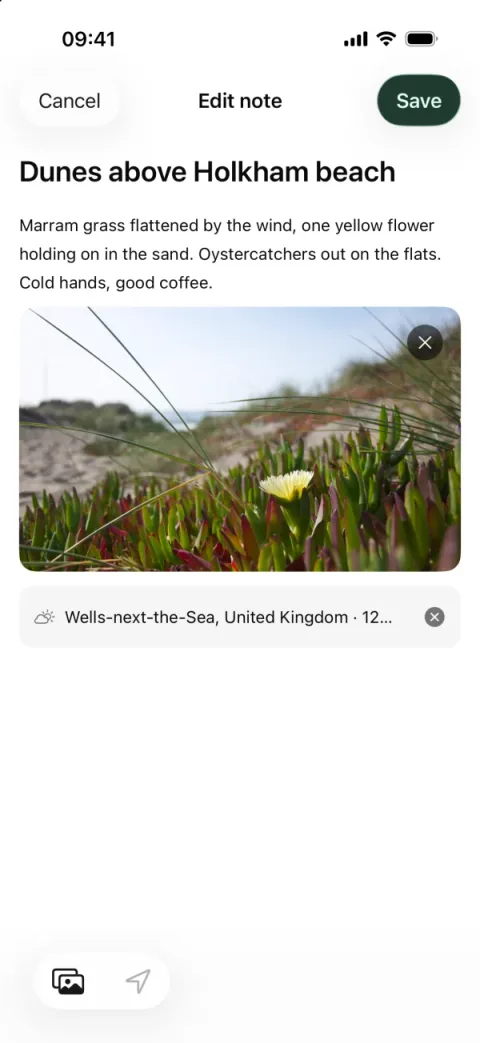
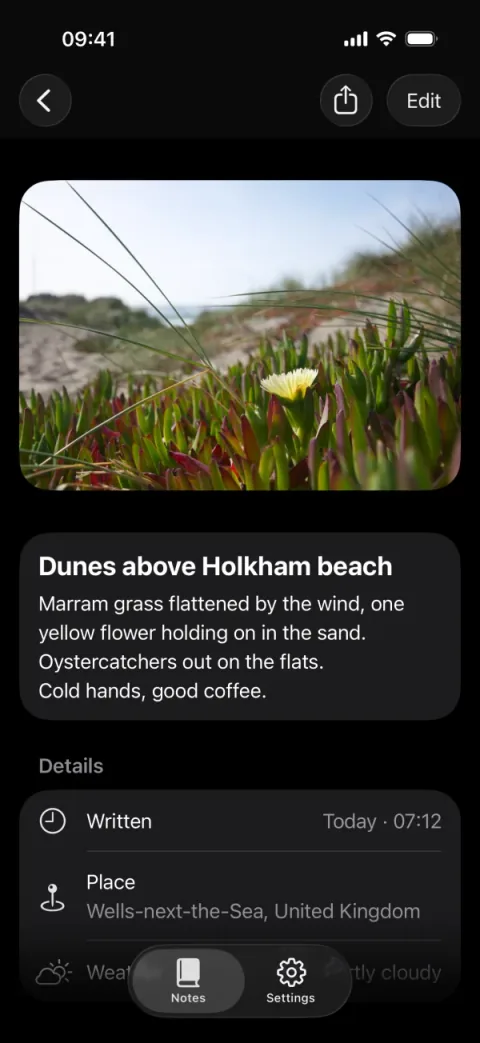
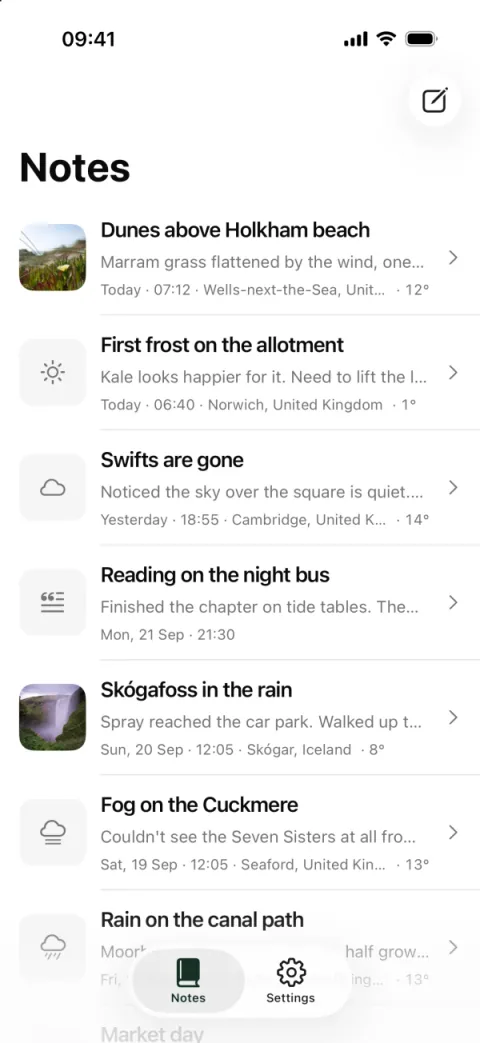
  • Field Notes · notes
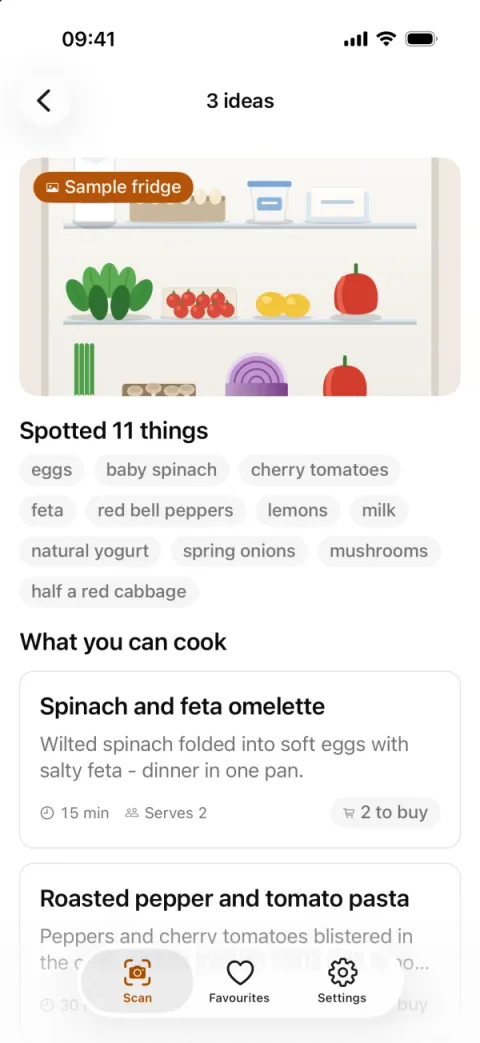
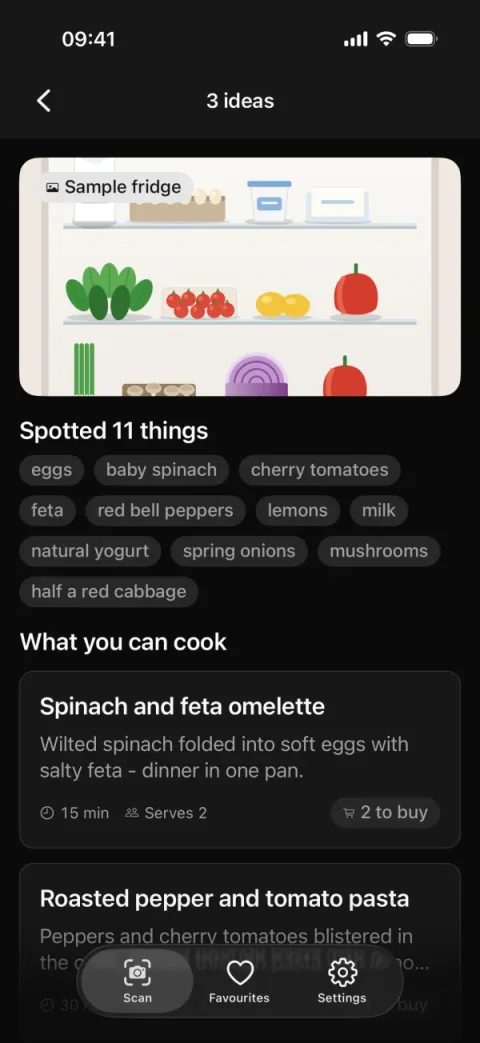
  • Snap Recipe · recipe ideas · dark
  • Field Notes · editing a note
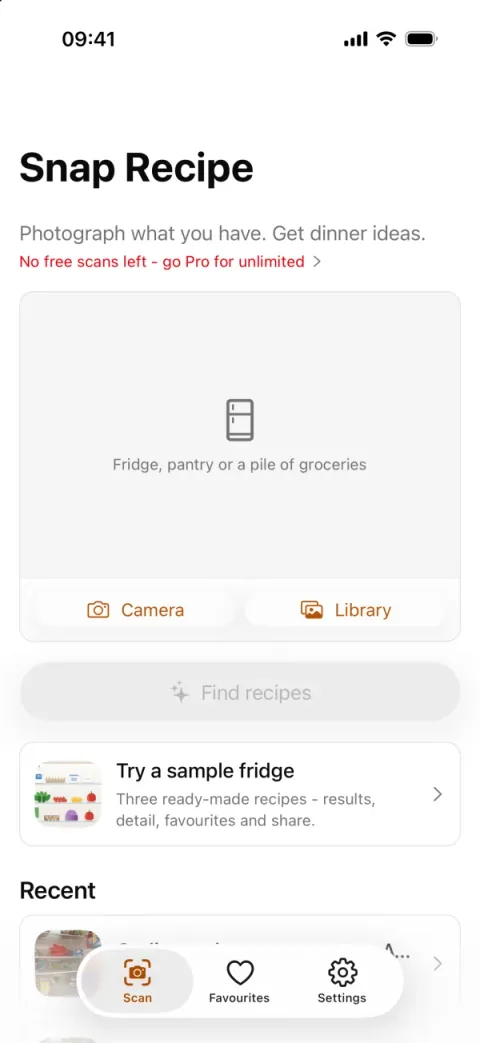
  • Snap Recipe · scan and paywall
  • Field Notes · a note · dark
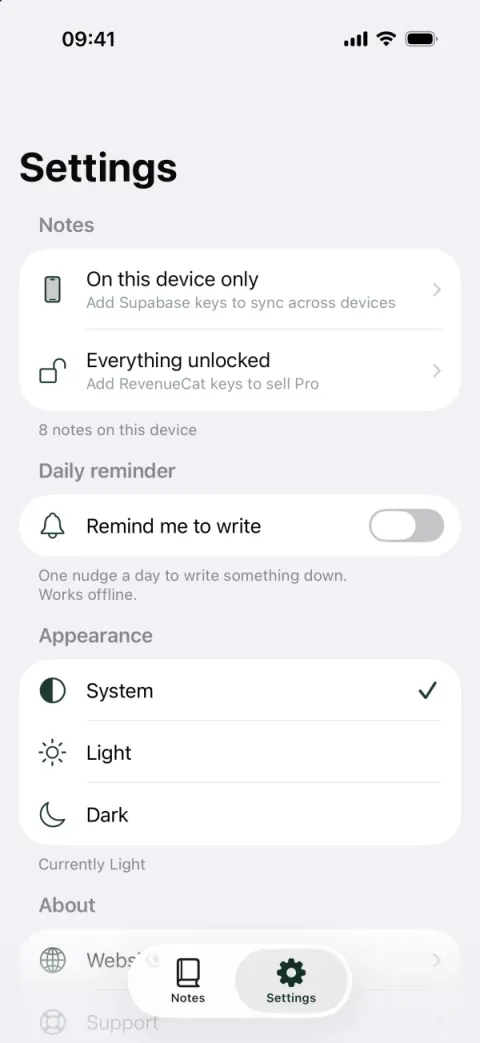
  • Field Notes · settings
  • Snap Recipe · recipe ideas
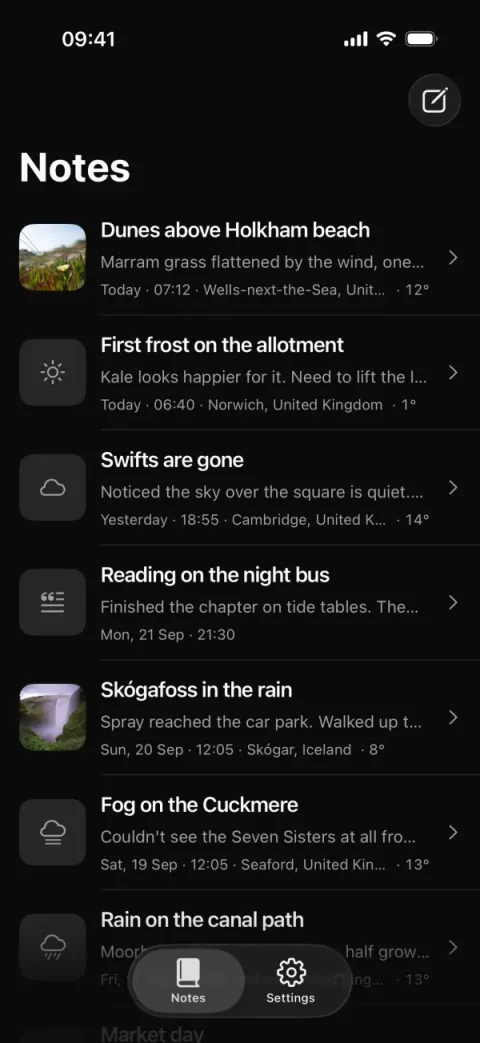
  • Field Notes · notes · dark
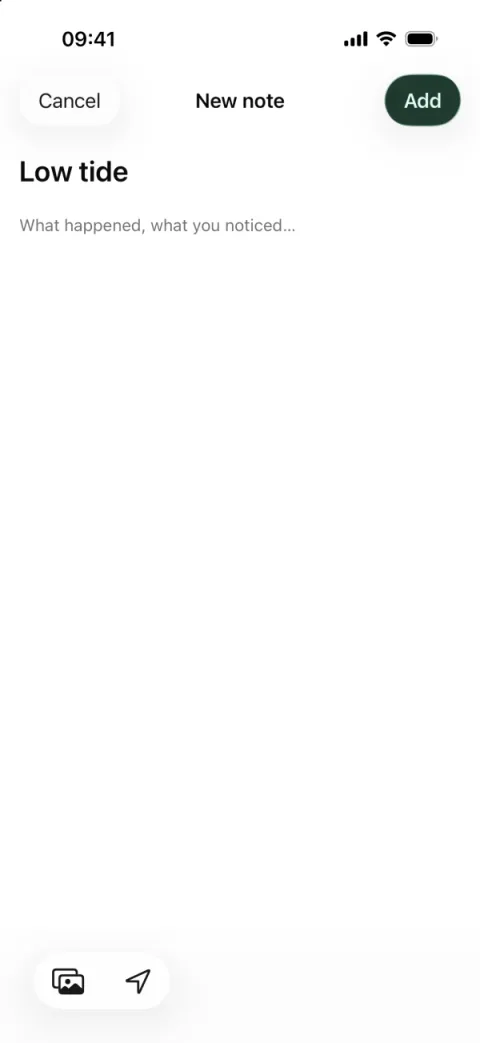
  • Field Notes · new note
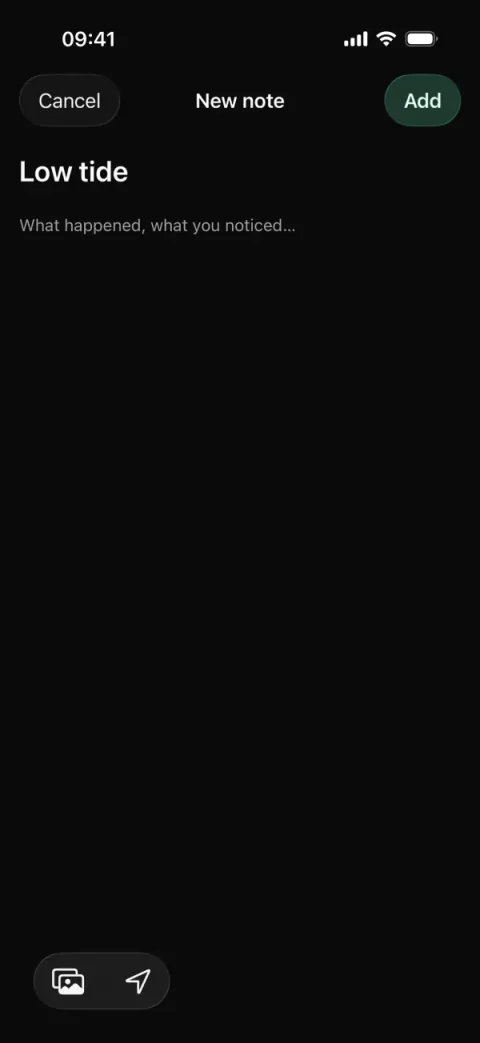
  • Field Notes · new note · dark

Week two, skipped

Errors ReadyNative has already hit for you.

  • Invariant Violation requireNativeComponent: “RNSScreen” was not found in the UIManager.
  • [Reanimated] Native part of Reanimated doesn’t seem to be initialized (Worklets).
  • TypeError undefined is not an object (evaluating ‘offerings.current.availablePackages’)
  • ITMS-90683 Missing purpose string in Info.plist: NSCameraUsageDescription.
  • Error Cannot find native module ‘ExpoPushTokenManager’. Are you in Expo Go?
  • pod install CocoaPods could not find compatible versions for pod “RNReanimated”.
  • Metro Unable to resolve module @/lib/storage from src/stores/settings.ts.
  • eas build Distribution certificate has expired. Build failed on the Friday you needed it.

What’s included

Everything a paid app needs, already built.

  • The paid-app core · Pro

    Sign-in, subscriptions, push, analytics - wired.

    Pick one provider per row. Every option is a real, tested integration; the rest is deleted.

    • Supabase: Postgres, auth and storage in one project. Free tier.
    • Clerk: Hosted sign-in with Apple and Google. Free tier.
    • Better Auth: Self-hosted auth in TypeScript, no vendor.
    • RevenueCat: In-app subscriptions for both stores, receipts handled. Dev build.
    • Adapty: In-app subscriptions with paywall A/B tests. Dev build.
    • Stripe: Web checkout through API routes, no native SDK - runs in Expo Go.
    • Expo Notifications: Push on iOS and Android through Expo’s push service. Dev build.
    • PostHog: Product analytics and session replay. Free tier.
    • Amplitude: Product analytics. Free tier.
    • Sentry: Crash reports with source maps and user identity.
  • UI

    5 UI stacks

    Theme tokens and dark mode from one file.

    • NativeWind 4: Tailwind classes in React Native, Tailwind 3 toolchain. The default.
    • NativeWind 5 RC: Release candidate: Tailwind classes on the Tailwind 4 toolchain.
    • Tamagui: Compiler-optimised styles plus a component kit.
    • Unistyles: C++-fast themes and breakpoints. Dev build.
    • StyleSheet: Plain React Native styles, zero style dependencies.
  • Release

    1 command to both stores

    Cloud builds and auto-submit through EAS build and submit profiles.

    • EAS: Expo’s cloud builds, signing and store submission.
  • Updates

    Ship a fix without a store release

    Over-the-air updates with a built-in “Update ready” banner.

    • EAS Update: Over-the-air JavaScript updates without a store review.
  • Setup

    No Mac required*

    EAS builds iOS and Android in the cloud and submits to both stores from any OS.

    • Windows: Builds run in the cloud, so any OS works.
    • Linux: Builds run in the cloud, so any OS works.
    • macOS: Needed only for the iOS simulator or local iOS builds.
  • Doctor

    A checklist that goes green

    Every missing key with a link to the dashboard that issues it.

    • bun run doctor: Lists every missing key with a link to the dashboard that issues it.
  • Navigation

    Screens are files

    The native tab bar, large-title headers, modals, typed routes, React Compiler on.

    • Expo Router: File-based navigation: a file is a screen.
  • The app layer

    Data, state, storage, forms, translations, tests - chosen once.

    Imported from one place, no adapter layer left behind.

    • TanStack Query: Server state: caching, retries, offline.
    • Apollo: GraphQL client with a normalised cache.
    • SWR: Small data-fetching hooks, stale-while-revalidate.
    • Zustand: Small global state store.
    • Jotai: Atomic state, React-first.
    • MMKV: Fastest key-value storage. Dev build.
    • SQLite key-value store: expo-sqlite/kv-store: sync and async key-value on SQLite, runs in Expo Go.
    • React Hook Form: Forms and validation with zod schemas.
    • i18next: Translations with plurals and interpolation.
    • Lingui: Translations with extracted message catalogs.
    • Jest: Unit tests with Testing Library.
    • Maestro: UI test flows that run on a real build.
  • Examples · Pro

    2 finished example apps

    Field Notes (journal) and Snap Recipe (AI vision), built on a fresh setup.

    • cd examples/notes: Pro: standalone apps with their own lockfile - install, run, read, delete.
  • Built in

    The boring parts, done.

    Deep links, review prompt, error boundary, icons + splash, docs + llms.txt. Onboarding is one setup question.

    • Starter + Pro: In both paid tiers, whatever you pick.
  • Native · Starter + Pro

    Widgets, Live Activities, native sheets and toasts.

    An iOS home-screen widget and a Lock Screen / Dynamic Island Live Activity written in TypeScript, the Liquid Glass tab bar, SwiftUI sheets, system toasts, 120 Hz presses, keyboard-aware forms and six languages with Arabic right-to-left. The first run is a weather app that uses all of it.

    • Expo Widgets: An iOS home-screen widget in TypeScript, fed from the app. Dev build.
    • Live Activities: Your app's number on the Lock Screen and in the Dynamic Island. Dev build.
    • NativeTabs: The platform tab bar: Liquid Glass on iOS 26, Material 3 on Android.
    • Expo UI: SwiftUI and Jetpack Compose views from React - the native bottom sheet. Runs in Expo Go.
    • Burnt: Native iOS toasts with haptics, above modals. Falls back to the themed toast in Expo Go.
    • Pressto: Press animations on the UI thread, so taps feel instant even when JS is busy.
    • Keyboard Controller: Forms that keep the focused field above the keyboard, dismissed with a drag.
    • Right-to-left: Arabic mirrors the whole layout; English, Spanish, Russian, Chinese and Portuguese too.
  • Continuous Native Generation

    No ios/ or android/ folders.

    Native projects are generated from one config file on every build, so an Expo SDK upgrade is a version bump, modules add and remove their own targets and entitlements, and fixes ship over the air while the binary stays put.

    • CNG: Continuous Native Generation: ios/ and android/ are generated from config, never committed.
    • Config plugins: Native changes as code in plugins/, re-applied on every build.
    • EAS Update: Over-the-air JavaScript updates without a store review.
  • AI agents

    Works with your AI agent.

    AGENTS.md, an architecture graph, 3 Expo skills and a ReadyNative skill ship in the repo, so any coding agent starts from the conventions instead of guessing.

    ReadyNativeworks withClaude CodeCursorCodexGitHub CopilotGemini CLIWindsurf

* RevenueCat, Adapty, push, widgets, MMKV and Unistyles need a dev build; everything else runs in Expo Go. Expo Go or a dev build?

Demo

Try the setup. Same 17 questions, same result.

Pick what your app needs. Whatever you skip is deleted from the repo, not switched off, so there is nothing to work around later.

Start from a preset
  1. UI

    Styling

  2. Data

    Fetching data from your API

  3. State

    App-wide state

  4. Storage

    On-device storage

  5. Forms

    Forms + validation

  6. i18n

    Translations

  7. AuthPro

    Sign in

  8. PaymentsPro

    Subscriptions / in-app purchases

  9. AnalyticsPro

    Product analytics

  10. Crash reportingPro

    Crash reporting

  11. PushPro

    Push notifications

  12. BackendPro

    Backend code in the same repo

  13. Onboarding

    Intro slides on first launch

  14. Location

    The user's location

  15. Widgets

    An iOS home-screen widget

  16. Privacy consent

    GDPR / CCPA consent sheet + privacy toggles

  17. Testing

    Unit tests

* ships native code, so it needs a dev build - your own build of the app, made once with eas build (cloud) or bunx expo run:ios|android (local). Everything else runs in Expo Go on your phone right away.

Examples · Pro

Two finished apps to read, run and copy from.

Pro ships two standalone example apps, each built on a fresh setup with its own lockfile. Both boot with no .env at all: anything that needs a key says so on that screen.

Field NotesPro

A private, local-first journal that syncs once you sign in.

  • Notes with a photo, search and swipe-to-delete, written to the device first
  • Sync to Supabase on sign-in: last-writer-wins merge with tombstones
  • “Where I am” stamp: town, country and the weather - no API key
  • Daily local reminder with a native time picker that deep-links to a new note
  • Free/Pro gate on a RevenueCat entitlement that switches itself off without keys

Built with

  • Supabase: Postgres, auth and storage in one project. Free tier.
  • RevenueCat: In-app subscriptions for both stores, receipts handled. Dev build.
  • PostHog: Product analytics and session replay. Free tier.
  • Sentry: Crash reports with source maps and user identity.
  • Expo Notifications: Push on iOS and Android through Expo’s push service. Dev build.
  • Maestro: UI test flows that run on a real build.

examples/notes

Snap RecipePro

Photograph your fridge; get recipes for what is already in it.

  • Food recognised on the iPhone itself with MobileCLIP - no server, no key, the photo stays on the device
  • A bundled recipe book that marks which ingredients you already have
  • A sample fridge that works everywhere, Android and Expo Go included
  • Three free scans, then Pro through two rails - in-app purchase and Stripe Checkout - one entitlement
  • Favourites, recent scans and share-as-text, persisted on the device

Photo recognition runs on iPhone only (an on-device model in a dev build). The MobileCLIP weights are not bundled: you download them under Apple’s licence, which is research-only for current releases - read the example’s MODEL-LICENSE.md before any commercial use.

Built with

  • Clerk: Hosted sign-in with Apple and Google. Free tier.
  • RevenueCat: In-app subscriptions for both stores, receipts handled. Dev build.
  • Stripe: Web checkout through API routes, no native SDK - runs in Expo Go.
  • API routes
  • Expo Modules
  • PostHog: Product analytics and session replay. Free tier.

examples/snap-recipe

Read the examples guide

Why an app

People spend their time, and their money, in apps.

The browser is where people find you. The app is where they come back and pay.

What only an app can do

  • Push notifications

    Tell a customer their export is ready, their trial ends Friday, a teammate mentioned them. The push module registers the device token and ships a test script; your server sends through Expo’s push service.

  • A place on the home screen

    An icon on the phone is one tap from your product; a tab in a mobile browser is not. Over-the-air updates keep that app current between store releases.

  • App Store and Google Play discovery

    People search the stores for tools like yours. A listing is one more place to be found, with ratings next to it, and the in-app review prompt asks at a moment you choose.

  • In-app purchase

    Apple’s purchase sheet with Face ID is the shortest path from free to paid on an iPhone. RevenueCat or Adapty wrap StoreKit and Play Billing, with the paywall and entitlements already wired.

Figures are from Sensor Tower’s State of Mobile 2026, linked above.

Your web stack carries over

Same accounts, same billing, same backend.

Here is what you probably run on the web today and what it becomes in the app. Pick the same providers during setup and the app talks to the services your web app already uses.

  • On the web

    Supabase or Clerk

    • Supabase: Postgres, auth and storage in one project. Free tier.
    • Clerk: Hosted sign-in with Apple and Google. Free tier.

    In the app

    The same user accounts as your web app

    Put the project URL and anon key of your Supabase project, or the publishable key of your Clerk instance, in .env. Same project, same users: customers sign in with the accounts they already have. Sessions, protected routes, sign-out and the sign-in screens are wired.

    Add sign-in
  • On the web

    Better Auth

    • Better Auth: Self-hosted auth in TypeScript, no vendor.

    In the app

    The same user table, served from the app’s API routes

    The Better Auth option runs its server in the repo’s API routes. It ships with an in-memory database for development; point its adapter at the Postgres your web app’s Better Auth already uses and sign-in reads the same users.

    The Better Auth module
  • On the web

    Stripe

    • Stripe: Web checkout through API routes, no native SDK - runs in Expo Go.
    • RevenueCat: In-app subscriptions for both stores, receipts handled. Dev build.

    In the app

    Web checkout next to in-app purchase, one “pro” entitlement

    The web checkout guide runs Stripe Checkout and RevenueCat side by side. The Stripe route stores the signed-in user’s id on the subscription, RevenueCat logs in with the same id, and the app merges both into one “pro” check. It uses your Stripe account and a price you already have. Subscriptions your web app sold earlier don’t carry that id, so point the entitlements lookup at the way your web app records its customers.

    Add web checkout next to the App Store
  • On the web

    PostHog or Amplitude, Sentry

    • PostHog: Product analytics and session replay. Free tier.
    • Amplitude: Product analytics. Free tier.
    • Sentry: Crash reports with source maps and user identity.

    In the app

    Events and crashes under the signed-in user

    Use the same PostHog or Amplitude project and the same Sentry organisation. The app identifies the signed-in user by the id your auth provider issues, so if your web app identifies by that id too, a customer’s web and app events land on one person.

  • On the web

    Your API

    • TanStack Query: Server state: caching, retries, offline.
    • Apollo: GraphQL client with a normalised cache.
    • SWR: Small data-fetching hooks, stale-while-revalidate.

    In the app

    Screens that call the API you already have

    Pick TanStack Query, Apollo or SWR and point it at the REST or GraphQL API your web app already uses. Your backend doesn’t change. Want server code next to the app, such as the Stripe webhook? API routes ship it from the same repo, deployed to EAS Hosting or your own host.

Each option is a module with a public docs page listing every file, dependency and env key it adds. Setup picks one payments option; running Stripe and RevenueCat together is the web checkout guide above.

What this is not: a tool that turns your website into an app. ReadyNative is an Expo app with the plumbing done. You build your product’s screens on it, in React and TypeScript, against the API your web app already calls.

What you get

The SaaS preset, wired and building.Pro

Pro ships a preset for this shape of app. One command applies it; any flag you add replaces that one pick, and whatever you don’t pick is deleted from the repo.

SaaS presetPro

bun run setup --preset saas

Supabase sign-in, RevenueCat subscriptions, Expo push, PostHog, Sentry and API routes, on NativeWind, TanStack Query and Zustand. Swap any of them for Clerk, Better Auth, Adapty, Stripe or Amplitude with one flag.

  • Supabase: Postgres, auth and storage in one project. Free tier.
  • RevenueCat: In-app subscriptions for both stores, receipts handled. Dev build.
  • Expo Notifications: Push on iOS and Android through Expo’s push service. Dev build.
  • PostHog: Product analytics and session replay. Free tier.
  • Sentry: Crash reports with source maps and user identity.
  • API routes
  • Sign-in: sessions, protected routes, sign-out and the screens
  • Subscriptions: a paywall with price, billing period, renewal terms and Restore Purchases, gated on entitlements
  • Push: device token registration and a test script
  • Analytics and crashes: PostHog or Amplitude with user identity, Sentry
  • Store releases: EAS build and submit profiles
  • doctor --store: an App Store and Play review check with a guideline id and a fix per finding
  • Updates: lifetime updates as tagged releases, licensed for up to 5 developers, unlimited apps

Snap RecipePro

The billing reference: three free scans, then Pro through two rails, in-app purchase and Stripe Checkout, unlocking one entitlement. Sign-in is Clerk; the Stripe checkout session, entitlements lookup and webhook are API routes.

Built with

  • Clerk: Hosted sign-in with Apple and Google. Free tier.
  • RevenueCat: In-app subscriptions for both stores, receipts handled. Dev build.
  • Stripe: Web checkout through API routes, no native SDK - runs in Expo Go.
  • API routes
  • Expo Modules
  • PostHog: Product analytics and session replay. Free tier.

Field Notes, the second example, is a local-first journal that syncs to Supabase on sign-in and gates Pro on a RevenueCat entitlement.

Read the examples guide

A first week

What a first week usually looks like.

A typical plan for one developer who knows React, not a guarantee. Your screens decide how long days two and three take, and App Review comes on top.

  1. Day 1

    Setup, with the keys you already have

    Clone the repo, run setup with the SaaS preset or your own picks, and put the keys of your existing Supabase or Clerk project, PostHog project and Sentry organisation in .env. doctor lists whatever is still missing, with a link to the dashboard that issues it.

    bun run setup --preset saasbun run doctor

  2. Days 2–3

    Your core screens, against your API

    Pick the two or three things customers do most in your web app and build those screens. Screens are React components, navigation is files in a folder, and data comes from the API your web app already calls.

    bunx expo start

  3. Day 4

    The paywall, on the products you have

    Create the App Store and Play products in RevenueCat and map them to one “pro” entitlement. Selling on the web too? Add Stripe Checkout on your existing price with the web checkout guide.

  4. Day 5

    TestFlight and Play internal testing

    Build on EAS and submit: iOS to TestFlight, Android to the Play internal testing track. After the one-time Play Console setup, every build goes up with one command.

    bunx eas-cli build --profile production --platform all --auto-submit

Typical, not promised: a custom design system, native features of your own or a large API surface add days. App Review time is extra and is Apple’s and Google’s call; plan for one round of changes on a first submission. The Apple Developer and Google Play developer accounts are yours to open.

Questions

What SaaS teams ask first.

We’re a web team, not mobile developers. Can we do this?

If your team writes React and TypeScript, yes. The app is Expo: screens are React components, navigation is files in a folder, styling can be Tailwind classes through NativeWind, and store builds run in Expo’s cloud, so nobody has to open Xcode. What is new is the platform - native navigation, touch targets, permissions, offline - and the docs and the two example apps cover those.

Read the Quickstart
Will Apple let us sell our web plan in the app?

Within specific rules. App Review guideline 3.1.1: digital subscriptions sold inside an iOS app go through in-app purchase, which is why the paywall is RevenueCat or Adapty. On the US App Store storefront the app may also link to your web checkout; elsewhere that needs Apple’s external purchase entitlement. Guideline 3.1.3(b) lets customers use a subscription they bought on your website, as long as it is also offered through in-app purchase in the app. Google Play has its own payments policy. The web checkout guide shows the storefront check that hides Stripe where it isn’t allowed. This is a summary of the guidelines, not legal advice: read them for your markets.

Add web checkout next to the App Store
Who keeps it working when Expo and the SDKs update?

Your purchase includes lifetime updates. Releases are tagged v<x.y.z>-sdk<major>, the changelog says what changed, and the “Update from upstream” guide walks through pulling a release into an app that already ran setup.

Update from upstream
Do we have to rebuild our backend?

No. The app is a client of the API you already run: point the data layer at it and keep your server as it is. Share the auth provider - the same Supabase project, Clerk instance or Better Auth database - and customers sign in with the accounts they have. API routes are there for server code that belongs next to the app, such as the Stripe webhook; they don’t replace your backend.

Why not wrap our web app in a web view?

A wrapper ships faster, and for some internal tools it is enough. The costs: web screens inside an app still feel like a website, App Review turns down apps that are mostly a repackaged site (guideline 4.2, minimum functionality), and push and in-app purchase need native code anyway. ReadyNative is the other trade: native screens you build in React, with push, in-app purchase and store releases already wired. It does not convert your site; you write the screens.

Can the whole team work on it?

Pro gives one GitHub account access to the private repo and licenses up to 5 developers in one company, for unlimited apps, yours or your clients’. Clone it once and share the code with the licensed developers; after setup it is a normal Expo project in your own git history.

Privacy built in

Privacy controls, built before your first user.

The privacy work an app store reviewer or a regulator asks about is already in the repo, and it switches itself to whatever modules you pick.

  • Consent-first SDK startupPro

    Analytics and crash reporting start only after the user says yes; until then no request leaves the phone.

  • A regional GDPR sheet and a CCPA do-not-sell toggle

    Users in the EU, UK and similar regions get the consent sheet; California gets an opt-out toggle in Settings.

  • A data export file

    “Export my data” writes a JSON file of what the app stores about the user, with tokens and secrets stripped.

  • In-app account deletionPro

    App Store guideline 5.1.1(v): deleting the account removes the user from every service you configured.

  • iOS privacy manifest and Play Data safety draftsPro

    The manifest is built from your modules; doctor --store drafts the Play Console Data safety answers.

  • A privacy policy draft

    gen:privacy writes a policy from the modules you actually picked, for you or your lawyer to finish.

Starter ships the consent framework, export and deletion of on-device data; the analytics, crash and sign-in SDKs they govern are Pro modules. A draft is not legal advice.

Pricing

One payment. Every app you ever ship.

Start free with one fixed stack, or pay once for the picker and the paid-app modules. No subscription, unlimited apps, yours or your clients’, and lifetime updates on the paid tiers. Paid tiers are a private GitHub repo; bun, npm, pnpm and yarn all work.

Free

The app, one stack, on GitHub.

$0MIT, forever

Trying Expo, or you already know you want this exact stack.

Clone on GitHub

Public repo. No account, no email.

  • Expo Router, NativeWind 4, TanStack Query, Zustand - fixed, no picker
  • Tabs, a settings screen, dark mode, typed routes, an error boundary
  • Runs in Expo Go; no accounts, no keys, nothing else
  • MIT · unlimited apps

Starter

The app, without accounts or payments.

Launch price, then $49first 20 buyers

$19one-time

Code STARTER20 is applied at checkout

Side projects, internal tools, apps with no login.

Get Starter

Connect GitHub right after checkout. No subscription.

  • The picker: NativeWind 4 or NativeWind 5 (RC), Tamagui, Unistyles or StyleSheet · TanStack Query, Apollo or SWR · Zustand or Jotai · SQLite key-value store, MMKV or AsyncStorage
  • React Hook Form, i18next or Lingui with six languages and right-to-left Arabic, an onboarding flow, Jest + Testing Library, Maestro E2E flows
  • Native: the Liquid Glass tab bar, SwiftUI sheets, system toasts, an iOS home-screen widget and Live Activity, location, an offline cache - and a weather demo on first run that shows them working
  • Continuous Native Generation: no ios/ or android/ folders to maintain, SDK upgrades are a version bump; over-the-air updates with an in-app banner
  • Privacy: the consent framework (regional GDPR sheet, CCPA do-not-sell toggle), export-my-data and delete-my-data; the analytics and crash SDKs it gates are wired in on Pro
  • EAS build and submit profiles
  • OTA update banner, in-app review prompt, universal / App Links, icon + splash generator
  • doctor: every missing key, placeholder and toolchain, each with a link to fix it
  • AGENTS.md, the architecture graph, 3 Expo skills and the ReadyNative skill for your coding agent; the docs site
  • 1 developer · unlimited apps, client work included · lifetime updates

Pro

The app, with sign-in, subscriptions, push and analytics.

Launch price, then $69first 20 buyers

$49one-time

Code PRO20 is applied at checkout

Apps that sign users in and charge them.

Recommended

Get Pro

Connect GitHub right after checkout. No subscription.

  • Everything in Starter
  • Sign-in: Supabase, Clerk or Better Auth - sessions, protected routes and sign-out wired into the app
  • Subscriptions: RevenueCat or Adapty with a paywall and entitlements; Stripe for web checkout
  • Push notifications, PostHog or Amplitude with user identity, Sentry, API routes in the same repo
  • doctor --store: App Store and Play review check with a guideline id and a fix per finding, plus a Data safety draft and a store-review agent skill
  • Two finished example apps to copy from: Field Notes (journal) and Snap Recipe (on-device AI vision; its MobileCLIP model is under a research-only licence)
  • Repo access for 1 GitHub account, licensed for up to 5 developers in one company · unlimited apps, client work included · lifetime updates

By buying you agree to the Terms and the Licence.

One-time paymentTermsLicenceNo refunds once you have access

Secure checkout by Polar · Card, Apple Pay, Google Pay · VAT invoice included

FAQ

Before you buy.

Is there a free version?

Yes. ready-native-free is a public, MIT-licensed repo with one stack already chosen and nothing else: Expo SDK 57, Expo Router, NativeWind 4, TanStack Query and Zustand, with tabs, a settings screen and dark mode. It runs in Expo Go. What it does not have is everything around the app: the picker (setup, the other UI stacks, forms, i18n, onboarding, the consent sheet, tests), EAS and CI, doctor, deep links, the OTA update banner, the review prompt, the agent files and the graph, and every service module. Clone it from https://github.com/ReadyNative/ready-native-free.

What exactly do I get?

Read access to a private GitHub repo: right after checkout you connect your GitHub account in Polar’s customer portal and GitHub emails you the invitation. Inside: an Expo SDK 57 app, the 17 module categories (Starter has every category except sign-in, payments, analytics, crash reporting, push and API routes), the setup and doctor scripts, EAS build and submit profiles, Maestro test flows and the docs - and on Pro, the two example apps. You run setup once, and what is left is a normal Expo project - no runtime layer, no framework of mine on top of Expo.

I have never built a mobile app. Can I use this?

If you can write React, yes. Screens are components, navigation is files in a folder, and store builds run in Expo’s cloud so you never open Xcode. The Quickstart gets the app onto your phone before you write a screen. On Pro, Field Notes is a full app to read first. You need Bun and Node 22.18 installed; that is it.

Do I need a Mac?

Not to ship. EAS builds iOS and Android in the cloud and submits to both stores from Windows or Linux, and Expo Go runs your project on a real iPhone from a QR code. You only need a Mac for the iOS simulator or if you insist on building iOS locally.

What else do I have to pay for?

An Apple Developer account ($99/year), a Google Play developer account ($25, once), and a free Expo account (EAS has a free tier). That is the whole list. Everything the modules integrate (Supabase, RevenueCat, PostHog, Sentry…) has a free tier too.

Does it run in Expo Go?

Mostly. Expo Go is the free app that runs your project from a QR code without a build. Six modules ship native code and need a dev build instead - RevenueCat, Adapty, push notifications, the home-screen widget, MMKV and Unistyles. A dev build is your own build of the app, made once on EAS or locally; after that it works like Expo Go. Setup tells you which one your selection needs.

Can I use my existing backend?

Yes. Pick TanStack Query, Apollo or SWR and point it at the REST or GraphQL API your website already uses. Already on Supabase or Clerk? Same project, same users. No backend at all yet? API routes let you ship server code from the same repo.

RevenueCat, Adapty or Stripe?

Selling subscriptions or anything digital inside the app? Apple and Google require their own in-app purchase systems, so pick RevenueCat or Adapty - both wrap the two stores and handle receipts and entitlements. Stripe is for physical goods, services, or checkout that happens on the web.

Which UI stack should I pick?

If you know Tailwind, keep the default, NativeWind 4, and move on. NativeWind 5 is a release candidate on the Tailwind 4 toolchain, one flag away if you want it now. Tamagui if you want its compiler and component library, Unistyles if you want C++-fast themes (dev build), StyleSheet if you want zero style dependencies. Screens import from one place either way, so switching later is an afternoon, not a rewrite.

Is this another 40-dependency boilerplate?

No. The minimal preset is Expo Router, one UI stack and a handful of helpers. Everything else is a question during setup, and every module you do not pick is deleted from the tree - package.json included. Each module’s docs page lists the dependencies it adds.

Why Expo and not Swift, Kotlin or Flutter?

Because you already write React. Expo is one TypeScript codebase with native UI on both platforms and a build service so you never open Xcode; it is what the React Native team recommends for new apps. If your team is Swift or Dart, this is not for you.

What happens when a new Expo SDK ships?

Expo ships a new SDK a few times a year and each one moves things. Your purchase includes lifetime updates: releases are tagged v<x.y.z>-sdk<major>, the changelog says what changed, and the “Update from upstream” guide walks through pulling a new version into an app that already ran setup.

Can I use it for client work?

Yes. One license covers unlimited apps for you, your company or your clients, and you can sell those apps. What you cannot do is resell or republish the starter itself. Starter is for one developer; Pro gives one GitHub account repo access and licenses up to 5 developers in one company.

Does it work with AI coding agents?

Yes, on purpose. The repo ships AGENTS.md with the conventions and commands, an architecture graph (docs/graph.json + ARCHITECTURE.md, regenerated by one script when you add a route or module), and three Expo skills plus a ReadyNative skill under .agents/skills for Claude Code, Cursor and Codex (Pro adds a store-review skill). Every docs page has a copy-as-markdown button and the whole site is available as llms.txt, so an agent reads the same docs you do.

Do you have regional pricing?

Not automatically. Students, open-source maintainers and anyone for whom USD prices hurt: tell me through the support form.

Which payment methods work?

Card, Apple Pay and Google Pay, and invoices with VAT through Polar, which is the merchant of record for every order. Company purchases are welcome - put the company name and VAT number in at checkout and the invoice comes back with them on it.

Can I get a refund?

No refunds once you have access to the repo, except where the law requires otherwise. That is why the free version is public and every module has a docs page listing every file it ships: you can see exactly what you are buying before you buy it.

Refunds in the Terms
How long do updates last?

For as long as ReadyNative is maintained: every future release reaches you at no extra cost. Lifetime means the life of the product, not a promise to update it forever. If updates ever stop, the licence is perpetual, so you keep building and shipping with what you have.

Can I see the code before buying?

Yes, two ways. ready-native-free is the base app, public on GitHub at https://github.com/ReadyNative/ready-native-free. And every module has a docs page listing every file it adds, its dependencies and its env keys.

Browse the module docs

Who made this

Just a front-end dev from Kazakhstan: 3+ years in the job, 20+ apps shipped, and what they taught me brought down to one terminal command.

Start on your first screen today.

Clone, run setup, paste your keys, submit to both stores. The wiring is already done.

Your customers already have accounts.

Give them the app on the sign-in and billing they already use. Start with setup, your keys and one screen.